> ## Documentation Index
> Fetch the complete documentation index at: https://docs.coincile.io/llms.txt
> Use this file to discover all available pages before exploring further.
# Quickstart
> Start using Coincile in under 5 minutes
## Get Started in 3 Steps
Welcome to Coincile! Follow these simple steps to set up your account and start managing your crypto transactions.
### Step 1: Create Your Account
Navigate to [app.coincile.io](https://app.coincile.io) and click **"Sign Up"** to create your account.
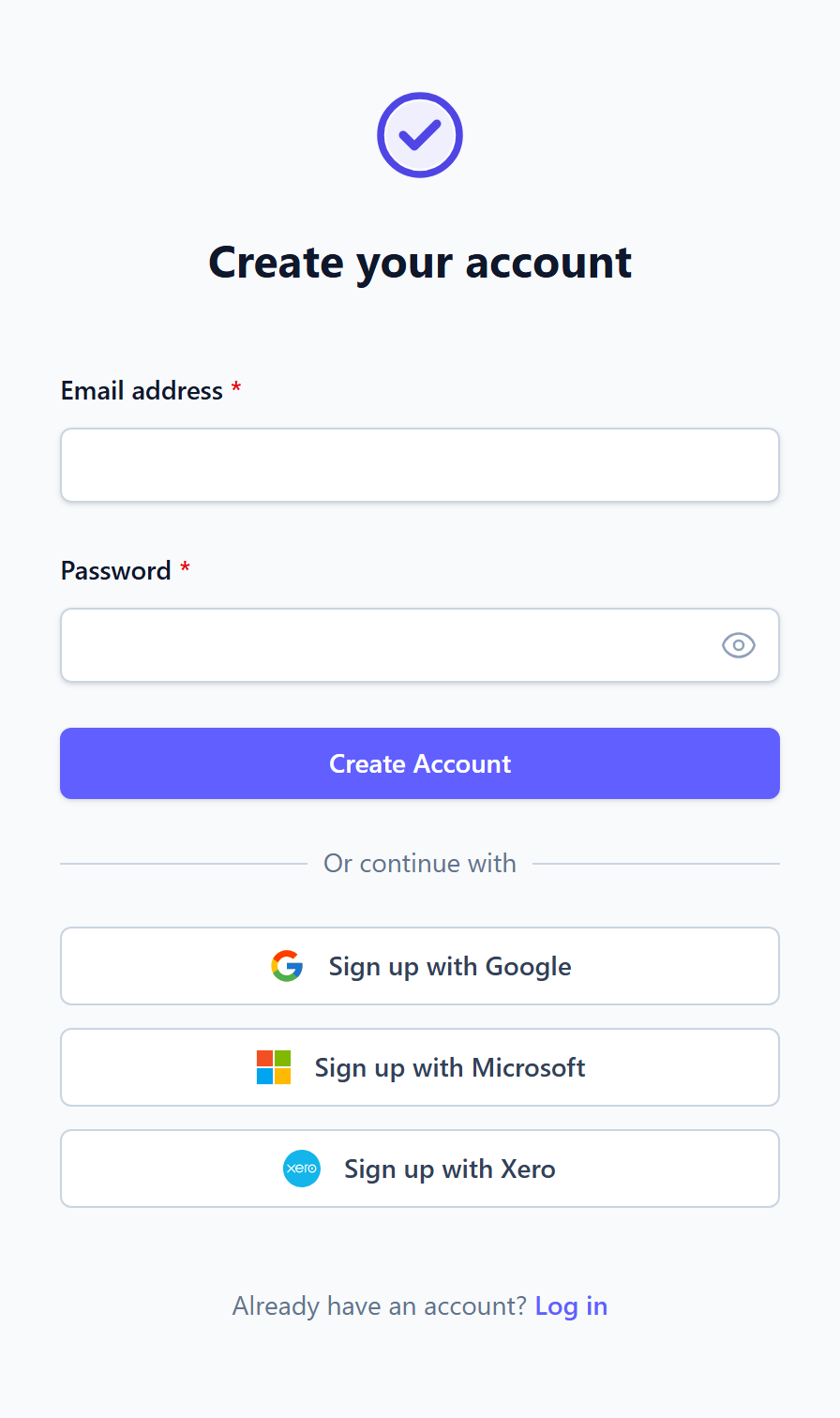 Enter your information:
* **Email address** - Use your business email for best results
* **Password** - Create a strong password (minimum 8 characters)
* **Confirm password** - Re-enter your password
Click **"Sign Up"** to create your account.
Already have an account? Use the **"Sign In"** link to log in instead.
### Step 2: Sign In to Your Account
After creating your account, you'll be redirected to the login page. Sign in with your email and password.
Enter your information:
* **Email address** - Use your business email for best results
* **Password** - Create a strong password (minimum 8 characters)
* **Confirm password** - Re-enter your password
Click **"Sign Up"** to create your account.
Already have an account? Use the **"Sign In"** link to log in instead.
### Step 2: Sign In to Your Account
After creating your account, you'll be redirected to the login page. Sign in with your email and password.
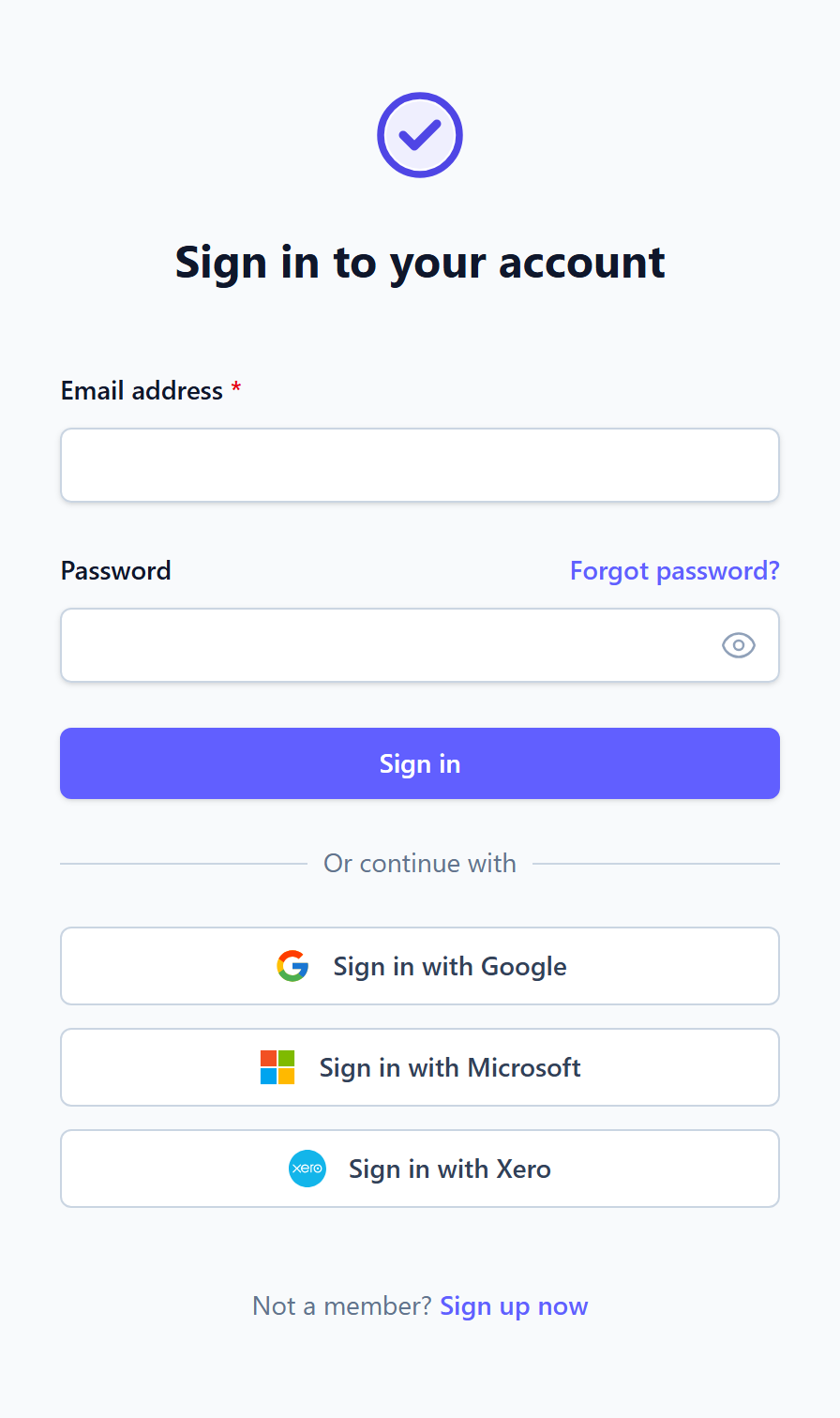 Forgot your password? Click **"Forgot Password"** to reset it via email.
### Step 3: Explore Your Dashboard
Once signed in, you'll see your dashboard - the central hub for managing all your crypto transactions.
Forgot your password? Click **"Forgot Password"** to reset it via email.
### Step 3: Explore Your Dashboard
Once signed in, you'll see your dashboard - the central hub for managing all your crypto transactions.
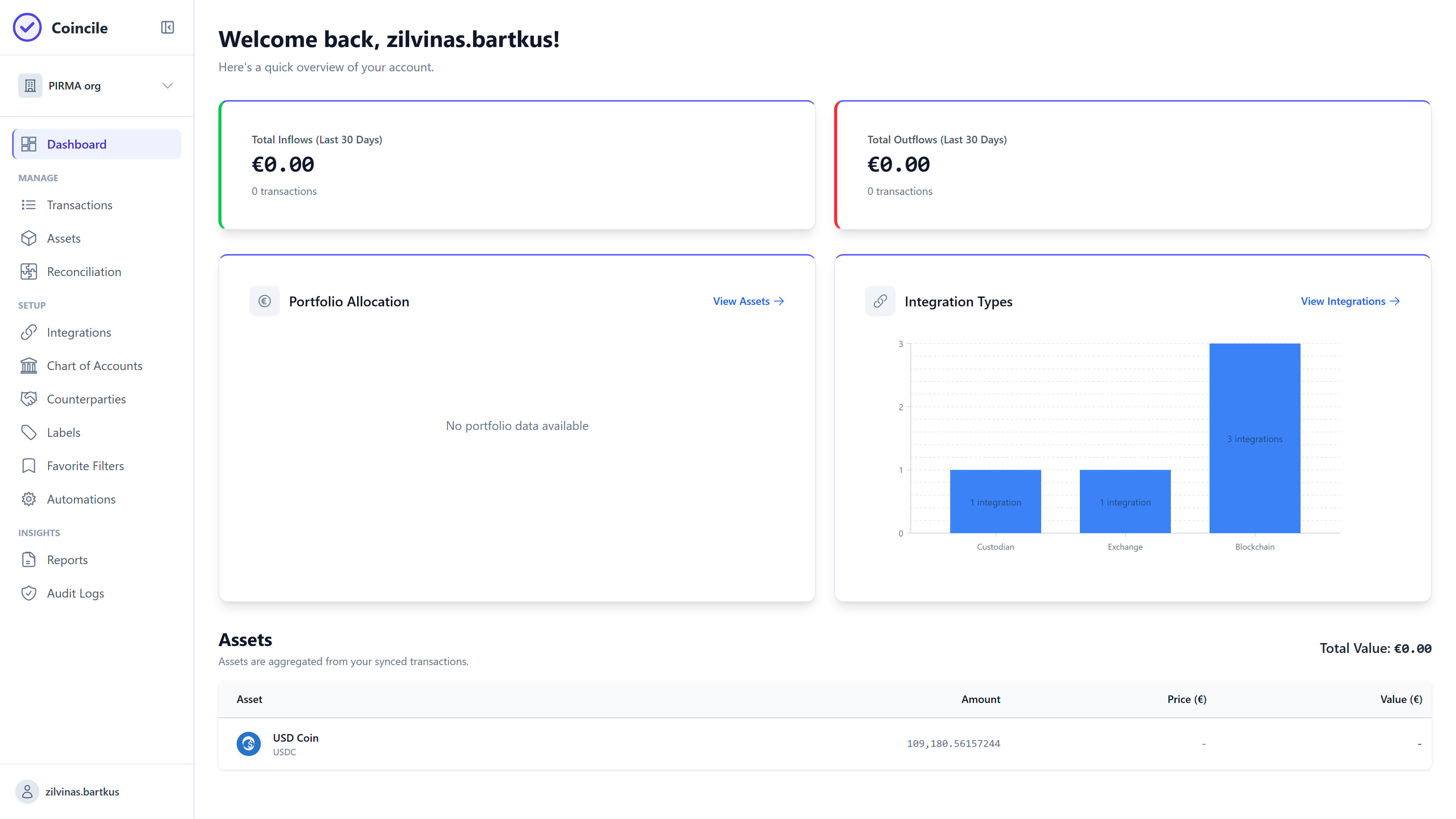 Your dashboard provides:
* **Overview** of your crypto portfolio
* **Recent transactions** summary
* **Quick access** to key features
* **Navigation** to all major sections
Take a moment to familiarize yourself with the dashboard layout. The sidebar provides quick access to Transactions, Integrations, Reports, and more.
## What's Next?
Now that you're set up, here's what you can do next:
Link your exchanges, wallets, and blockchain networks to automatically import transactions. Visit the Integrations Guide to learn more.
Start importing your crypto transactions manually or automatically. Check out the Transactions Guide for details.
Create financial reports and exports for accounting purposes. See the Reporting Guide to get started.
Connect exchanges, wallets, and blockchains
Import and manage your transactions
Generate financial reports and exports
Match transactions across sources
## Need Help?
Use the **"Forgot Password"** link on the login page to reset your password. If you're still having issues, contact support at [support@coincile.io](mailto:support@coincile.io).
We recommend starting by connecting your first integration. This will automatically import your transactions and populate your dashboard with real data.
Yes! You can manually import transactions via CSV or add them one by one. However, integrations make the process much faster and more accurate.
Your dashboard provides:
* **Overview** of your crypto portfolio
* **Recent transactions** summary
* **Quick access** to key features
* **Navigation** to all major sections
Take a moment to familiarize yourself with the dashboard layout. The sidebar provides quick access to Transactions, Integrations, Reports, and more.
## What's Next?
Now that you're set up, here's what you can do next:
Link your exchanges, wallets, and blockchain networks to automatically import transactions. Visit the Integrations Guide to learn more.
Start importing your crypto transactions manually or automatically. Check out the Transactions Guide for details.
Create financial reports and exports for accounting purposes. See the Reporting Guide to get started.
Connect exchanges, wallets, and blockchains
Import and manage your transactions
Generate financial reports and exports
Match transactions across sources
## Need Help?
Use the **"Forgot Password"** link on the login page to reset your password. If you're still having issues, contact support at [support@coincile.io](mailto:support@coincile.io).
We recommend starting by connecting your first integration. This will automatically import your transactions and populate your dashboard with real data.
Yes! You can manually import transactions via CSV or add them one by one. However, integrations make the process much faster and more accurate.